🤖 Meet Miles: Your EasyRoutes AI Assistant
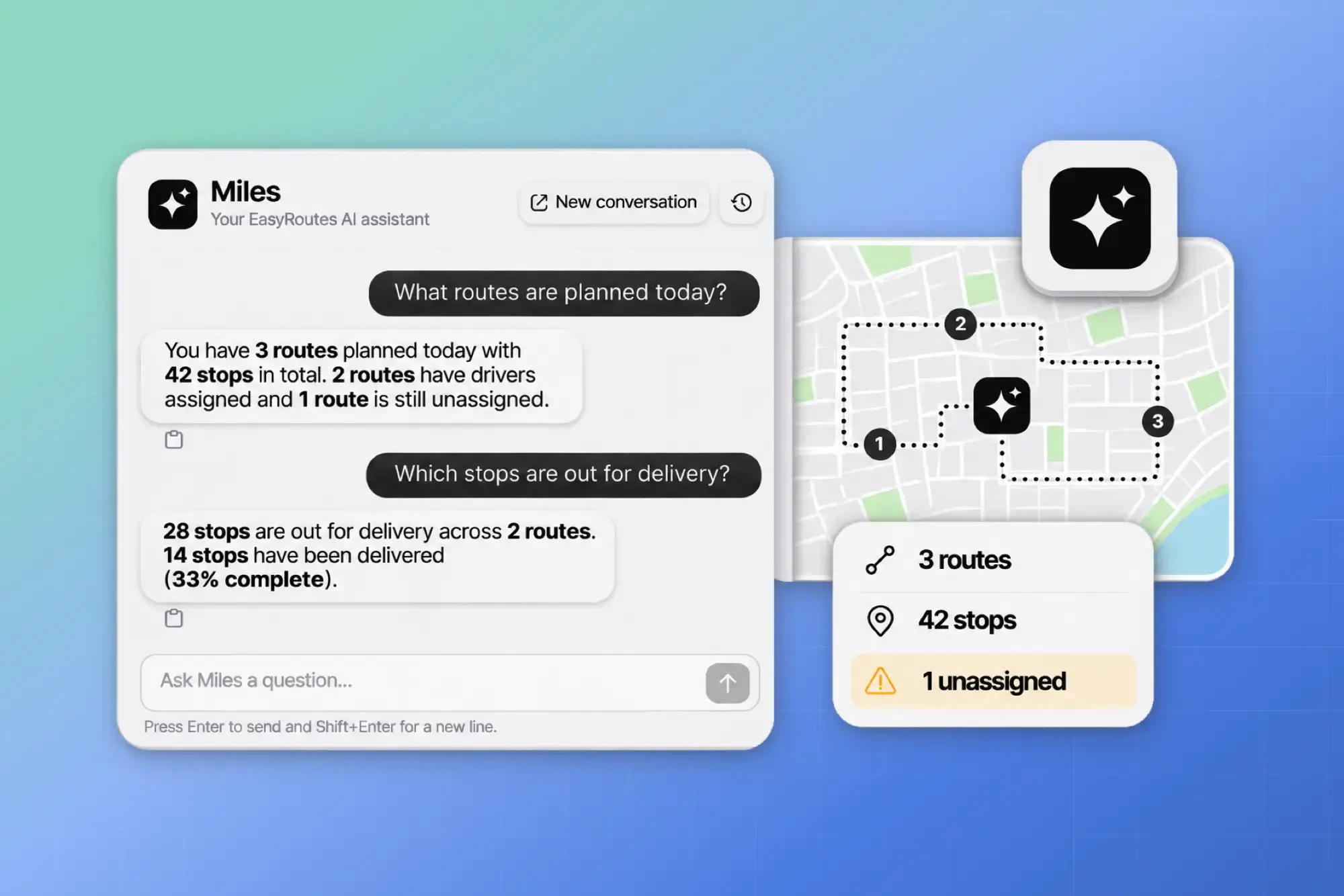
We’re excited to introduce Miles, the AI assistant built directly into EasyRoutes. Ask Miles about your routes, stops and drivers in plain language, and it answers from your own delivery records. There’s nothing to install and no setup required: just choose Miles from the top of the EasyRoutes sidebar navigation menu.
With Miles, you can:
- Check on the day: Ask what’s planned, which routes have no driver, which stops are still pending, and how deliveries are going.
- Find an order: Look up a stop by customer name, company, address, order number, phone or email, and see its route, status and ETA.
- See what went wrong: Ask what failed yesterday and why, from the reasons and notes your drivers recorded, and check whether a stop has a photo or signature.
- Look up drivers: Find a driver’s phone number, or see who’s active on your team.
- Draft from the record: Have Miles write a dispatch briefing, a customer update or a delivery summary using only what your routes show, then make it shorter, friendlier or translated, and copy it to your clipboard.
For now, Miles is read-only: it finds information and drafts messages, and you make route changes and send messages yourself. Planning routes, dispatching drivers and handling exceptions are all on the way, and we’re building them based on how you use Miles, so let us know what you’d hand over to Miles first!
For more on what Miles can do today, including real-world example prompts, see our Meet Miles: Your EasyRoutes AI Assistant blog post, and our Miles support article.
💬 New: The EasyRoutes MCP Server
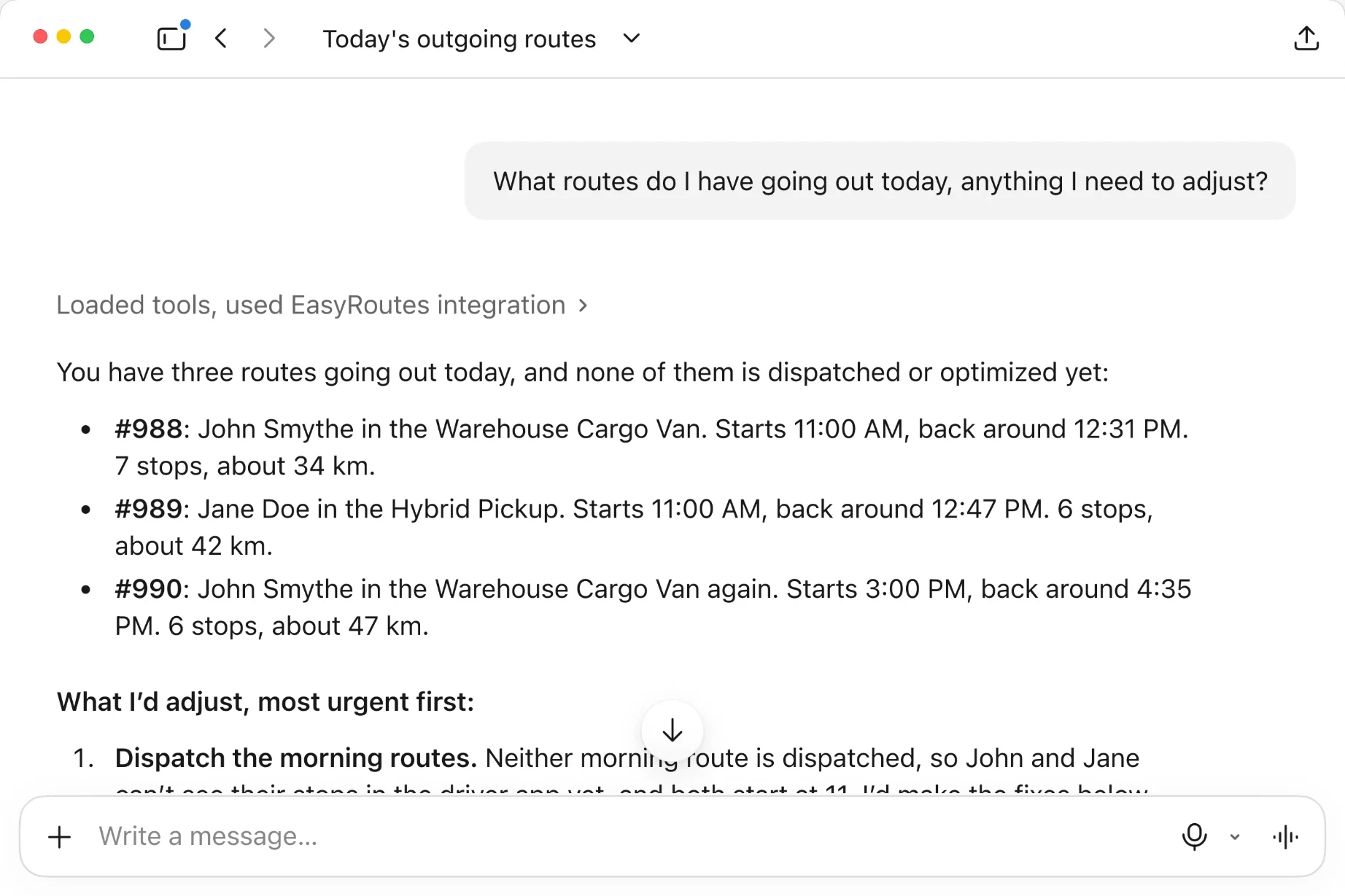
Already working in an AI assistant like Claude, ChatGPT Desktop, Cursor or Codex? The new EasyRoutes MCP server connects your assistant directly to your EasyRoutes account, so you can run your deliveries by asking for what you need in a conversation. With the MCP server, your assistant can now:
- Answer questions about your account: What’s going out tomorrow, who’s driving, and whether any stop is planned outside its time window.
- Set up routes: Create a route, add Shopify orders or imported stops, and set route options like the planned time at each stop.
- Turn an email into stops: Paste in an order email or a list of addresses, and your assistant imports them as stops and puts them on a route.
- Assign, optimize and dispatch: Give a route to a driver and vehicle by name, optimize its stop order, and dispatch it to your driver.
- Edit stops: Change a stop’s address, note, time window, delivery date or duration, even after the route is set up.
Your assistant asks for your approval before each change, and you can pre-allow the tools you trust, like stop lookups. Setup takes just a few minutes with a client ID and secret key from your EasyRoutes Settings > API tab, available on every paid plan for Shopify and Web.
For setup steps in each assistant and examples of what to ask, see our MCP server page, the new EasyRoutes 101: Get Started with the MCP Server guide, and the MCP documentation in our Developer Docs portal.
🧑💻 New API Functionality
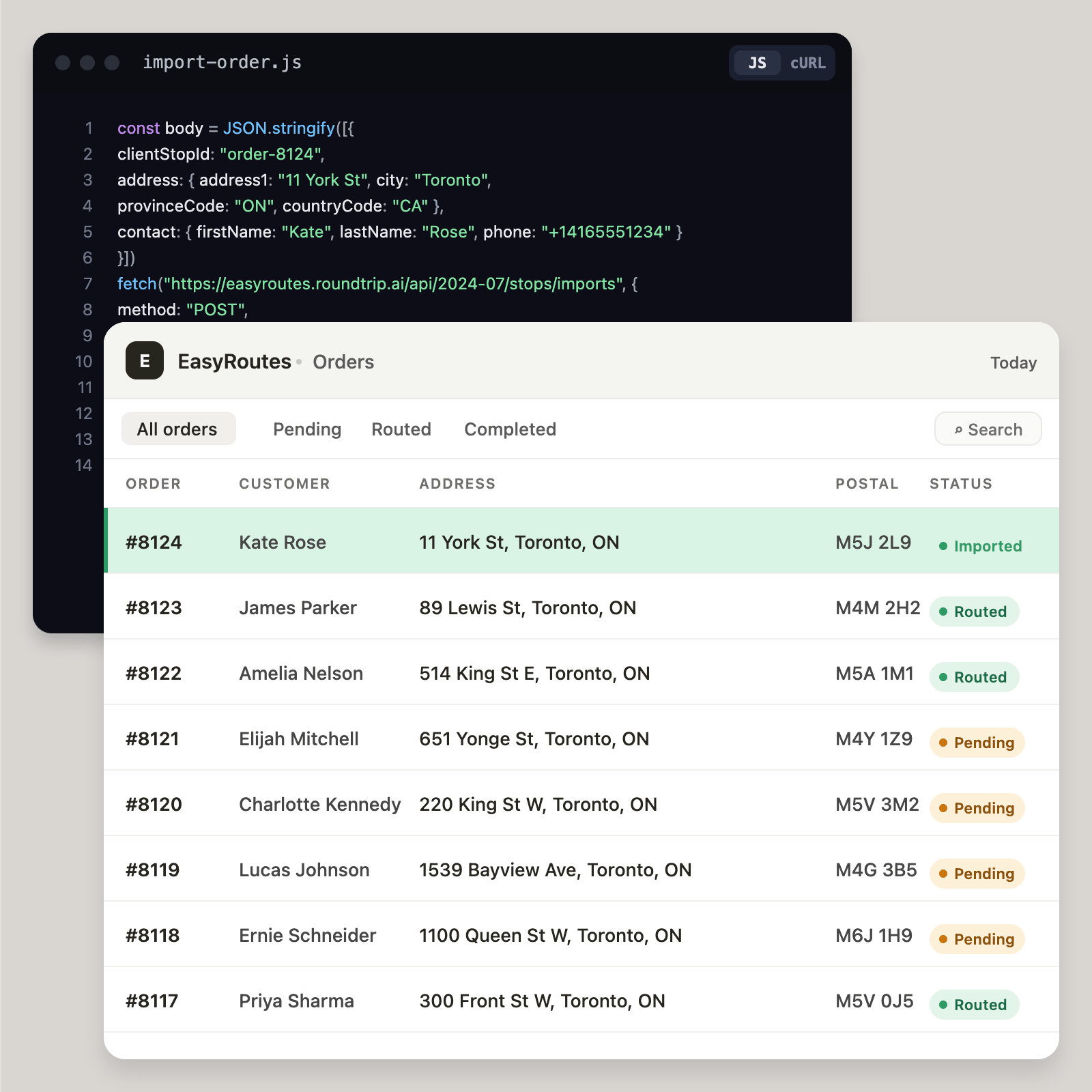
For developers building custom integrations, the EasyRoutes API now works more closely with Shopify orders, along with a few changes worth knowing about:
Add Shopify orders to routes: A new endpoint adds up to 200 Shopify orders to an existing route in a single request, with no need to import them first. Stops created from Shopify orders can now be updated through the API like imported stops, and stop items now include their Shopify product, variant, line item and fulfillment IDs.
Rate limiting: Requests to the EasyRoutes API are now rate limited per API client, at a steady 10 requests per second with bursts of up to 120. If you haven’t already, add a Developer contact email in your EasyRoutes Settings > API tab, so our team can reach the right person if an integration runs into the limit.
SMS phone numbers on stops: Route stops now include the phone number EasyRoutes uses for SMS notifications.
Heads up for SDK users: To match the new MCP server’s tool names, all API operation IDs have been renamed to snake_case (for example, ListRoutes is now list_routes). REST endpoints and paths haven’t changed, but if you generate a client SDK from our API spec, its method names will change the next time you regenerate it.
For every change as it launches, follow our dedicated API changelog.
🛒 New Integration: WooCommerce
Selling on WooCommerce too? You can now connect your WooCommerce store directly to EasyRoutes for Web, with no CSV exports, Zaps or custom code required. Once connected:
- New and updated orders import automatically as stops, complete with shipping address, customer contact details, notes and line items.
- Existing orders come along too: bring in orders from the last 30, 60 or 90 days when you connect, or re-sync these past orders at any time.
- Checkout details carry over: custom order fields, like a gift message or delivery slot, transfer to EasyRoutes as stop attributes.
- WooCommerce stays up to date: delivery statuses, tracking links and proof of delivery sync back to each Woo order as private notes, and delivered orders can be marked Completed in Woo automatically.
For step-by-step setup instructions, see our guide to the EasyRoutes + WooCommerce Integration.
📱 EasyRoutes Delivery Driver v2.1.2
The EasyRoutes Delivery Driver mobile app for both iOS and Android devices has been updated to version 2.1.2.
Since our last update, we’ve introduced automatic in-app Italian translation, a route status indicator that shows when offline updates are still waiting to sync, improved handling for routes that are deleted or archived while a driver is using them, and more reliable route starts and proof of delivery uploads.
Recent mobile app updates also include display adjustments for devices running iOS 26 or above, improved tap interactions on Android devices, as well as minor bug fixes & improvements to photo and eSignature uploads, camera flash behaviour, completing stops created through the EasyRoutes API, and overall app stability.
Drivers will need to update to the latest version of the mobile app (version 2.1.2 or above) in order to take advantage of these new features and improvements within the EasyRoutes Delivery Driver mobile app.
Other product updates
(👀 there’s some good stuff in here!)
- Users can now edit stop addresses, times, time windows and notes directly from any Route page: hover over a column and click the edit icon, without opening the Edit stop page.
- Edits to customer communication (notification, tracking page, and packing slip/label) contents & formatting now display in real time, part of the new functionality securing our 2026 Built for Shopify renewal.
- When sending stops to a new route from a grouped route, the new route can now join the same Route Group in a single step.
- The Unrouted stops tab now loads quickly on routes and route groups with large numbers of stops, showing 50 stops per page.
- Driver names now keep their capitalization as entered, both in EasyRoutes and in customer notifications and tracking pages.
- Saving Suggest matching orders on a route group’s Add orders tab no longer overwrites driver progress or other changes made since the page loaded.
- Fix for route arrival times that could be off by an hour in British Columbia and Manitoba following recent daylight saving time adoption adjustments.
- Fix for the notification variable showing two dates when using a delivery window that starts at the ETA.
- Fix for item SKUs missing from stops imported through the EasyRoutes API.