We’re proud to share that EasyRoutes is once again Built for Shopify! Following Shopify’s annual review, our Built for Shopify status has been renewed for 2026: three years and counting since EasyRoutes first earned it in 2023.
Built for Shopify is Shopify’s highest quality standard for apps in the Shopify App Store. To keep it, an app has to meet Shopify’s latest requirements every year, across four areas: it has to be useful to the merchants who rely on it, easy to use, safe, secure and reliable, and fast. Here’s what we’ve improved in each of those areas over the past year.
Useful, every delivery day
Above all, Built for Shopify apps have to prove their value to the merchants who use them. Here are some of the ways we’ve made EasyRoutes more useful this year, from planning and packing to keeping your customers in the loop.
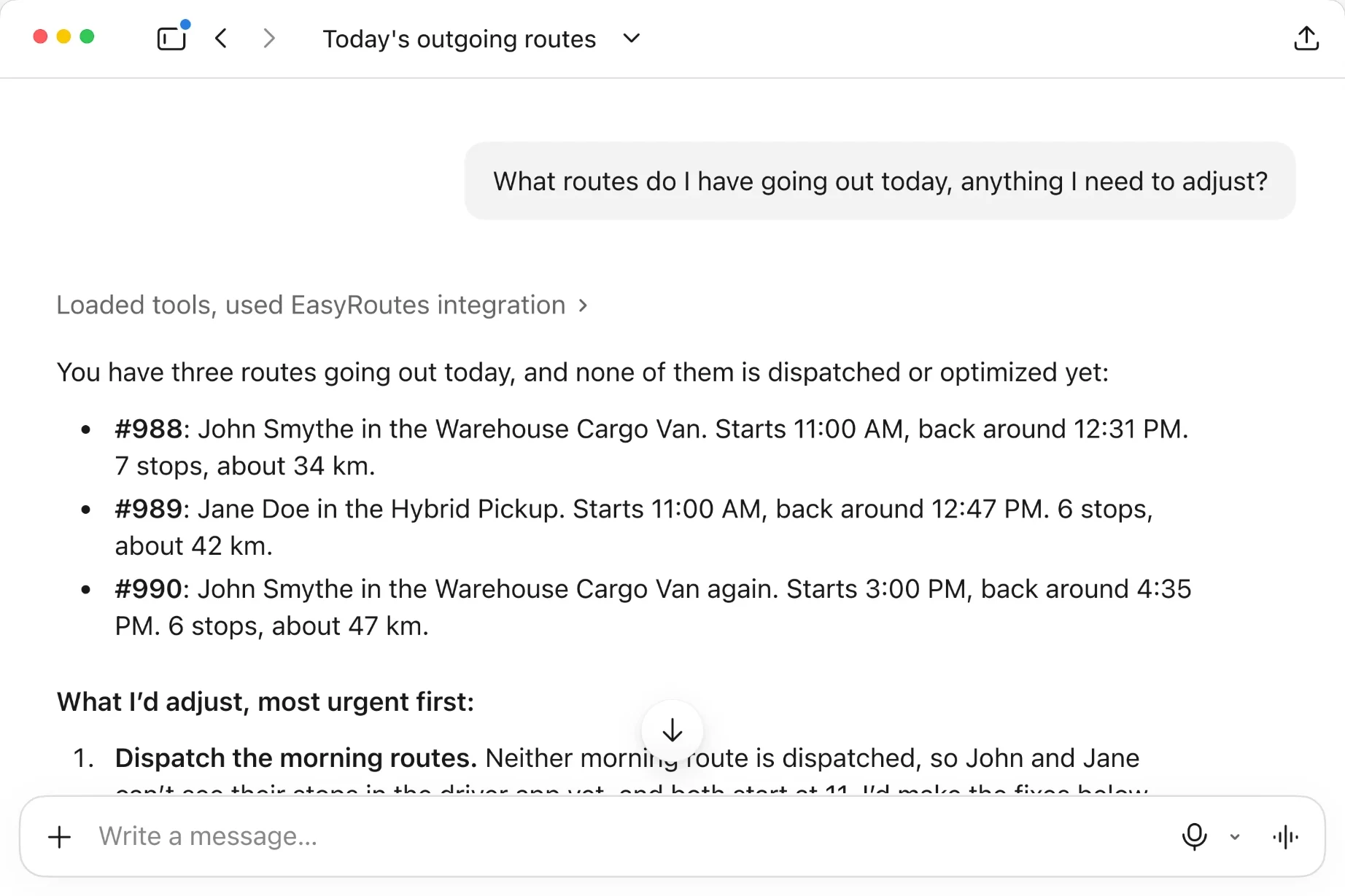
- Plan routes with AI assistants: the new EasyRoutes MCP server lets you connect AI assistants like Claude or ChatGPT to EasyRoutes, then plan and manage routes by asking for what you need.
Make a Friday route from the shop with these, 5 minutes a stop.
create_routeFri 9:00, 123 Main Stupdate_route5 min a stopadd_route_shopify_orders4 orders
Friday's route is ready to review: 5 minutes a stop, with each order's address and items.
- Amara Okafor3 yellow
- Daniel Kim2 red
- Sofia Marino1 white
- Liam Tremblay3 mixed
Put Jane on Friday's route in the warehouse van, optimize it, and send it to her.
list_driversJane Doelist_vehiclesWarehouse Cargo Vanassign_route_driverassign_route_vehiclereoptimize_route24.1 → 18.6 kmdispatch_routeSent to Jane
Done. Jane will be notified she has a new route in the EasyRoutes Delivery Driver app. The stops are in their best order:
- Sofia Marino9:18
- Amara Okafor9:41
- Liam Tremblay9:52
- Daniel Kim10:06
- Delivery zones: draw or import delivery zones on the map, and limit routes to the orders inside them.
- Auto-dispatch: dispatch routes to their driver automatically as soon as they’re created.
- Route Groups at scale: send notifications to entire route groups at once, with quicker access to route details and better exports.
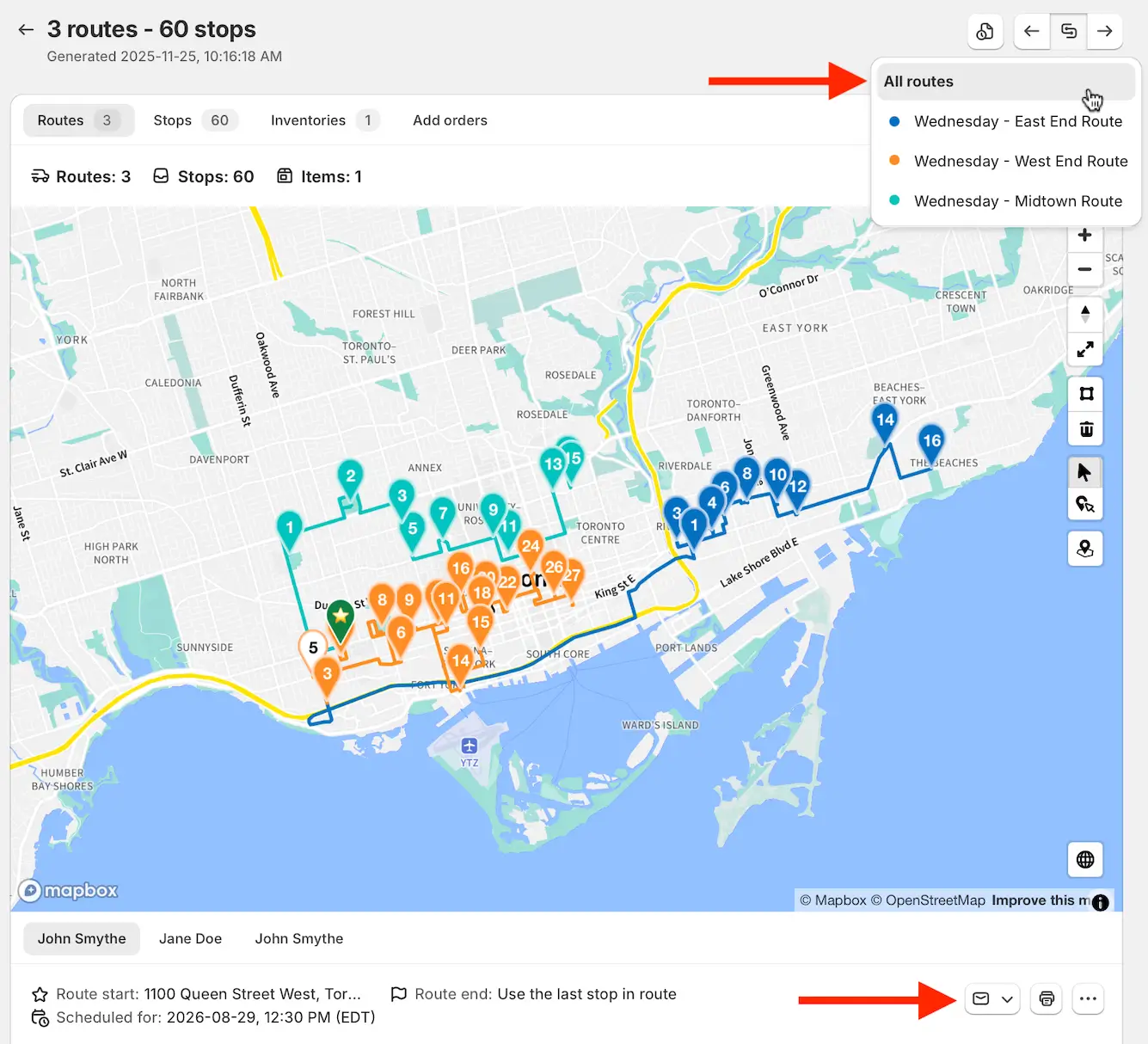
- Recurring saved stops: Workflows can auto-add saved stops from your Address Book when generating recurring routes.
- Dynamic route names: name new routes from a template, with variables like the assigned driver’s name or the route’s start date.
- On-brand customer communications: refreshed email notification templates, and logo uploads for your tracking pages, emails, and packing slips and labels.
- Clearer delivery expectations: show a stop’s time window as its ETA on order tracking pages, and share eSignature proof of delivery in more of your customer communications.
- Packing made simpler: large format packing labels suited to 4x6 inch labels and scannable QR codes, plus custom reference URLs for imported orders and saved stops.
- Print quantities per stop: set how many packing slips and labels to print for each stop in a route printout.
- Connect EasyRoutes to the rest of your business: the EasyRoutes API can now add Shopify orders to routes, with new endpoints, a developer docs portal and a dedicated API changelog.
Easy to use, the Shopify way
EasyRoutes is designed to look and work like the rest of your Shopify admin, so there’s less to learn. This year we brought it even closer to Shopify, on desktop and on mobile.
- A familiar layout: interface adjustments across the app moved bulk actions to the top of each table, as in the Shopify admin, and keep key columns in view as you scroll across wide tables.
- Quicker route edits: edit stop addresses, times, time windows and notes inline on any Route page, and send stops to a new route in the same group in one click.
- Your drivers’ language: the Delivery Driver mobile app is now available in French and Spanish, Dutch and German, and Italian, applied automatically based on each driver’s device language.
- Live previews: customize your order tracking page, the design of your email and SMS notifications, and your packing slips and labels beside a live preview that updates as you make changes. Each Settings tab also shows a small preview of your current design, so you can see what’s live at a glance.
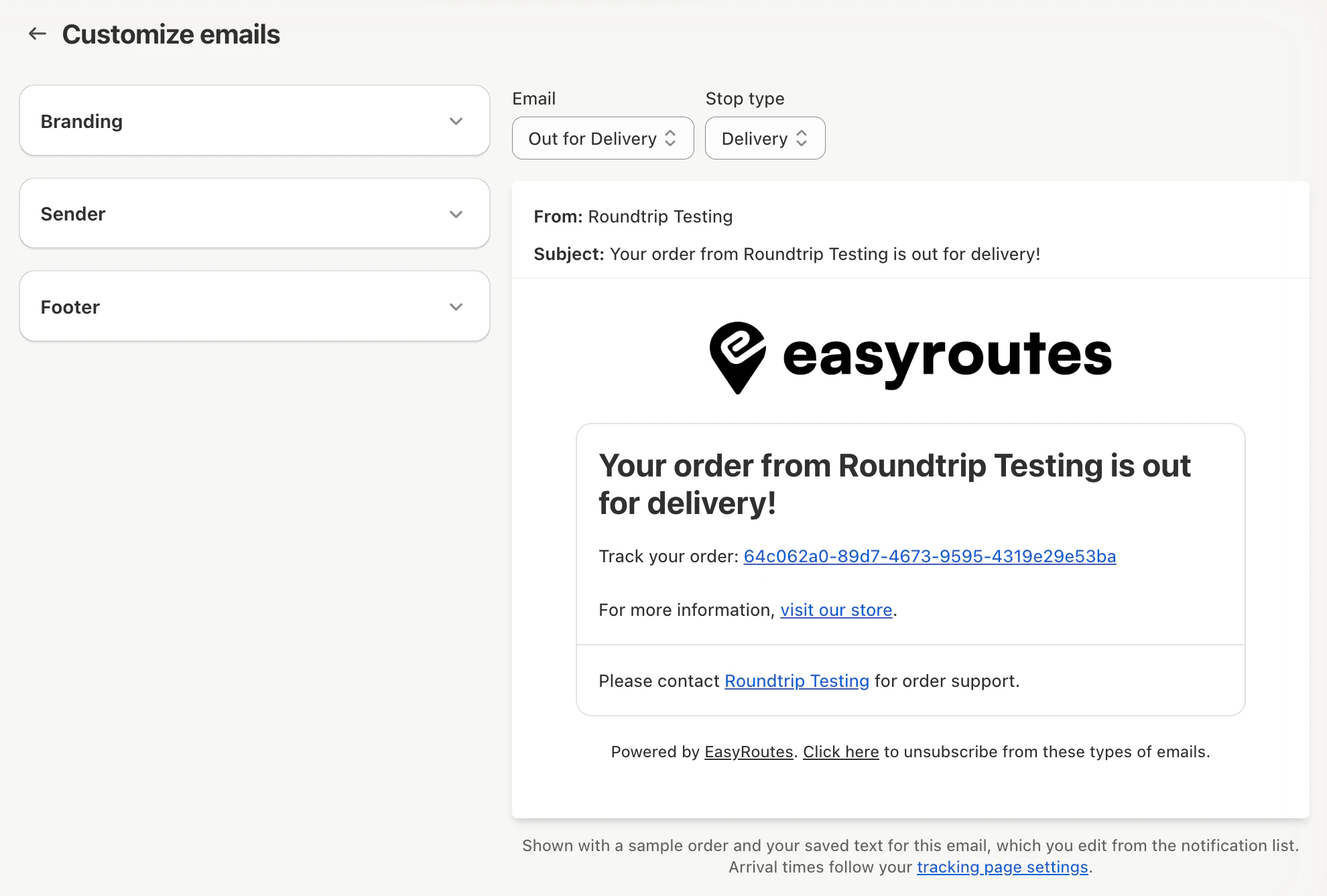
- Smarter Address Book auto-fill: Address Book auto-fill makes it easier to fill in saved stop details when adding custom stops or editing stops on a route.
- Bulk tags for imported stops: add or remove tags on many imported stops at once from the Orders page.
- Made for the Shopify mobile app: on your phone, Settings opens as a list of tabs, just like Shopify’s own, and pop-ups, buttons and route actions now fit the screen without being cut off or hidden behind Shopify’s Sidekick bar.
Safe, secure and reliable
Your store’s data, and your deliveries, depend on EasyRoutes working every time. This year we made both the EasyRoutes admin and the Delivery Driver mobile app more dependable, from planning through to proof of delivery, and strengthened how EasyRoutes connects to Shopify.
- A more secure Shopify connection: EasyRoutes now connects to your store using access tokens that expire and refresh automatically. If your connection ever needs attention, EasyRoutes walks you through reconnecting in a few clicks.
- Offline support for drivers: with mobile offline support, drivers can keep working their routes through dead zones, parking garages, rural areas and elevators.
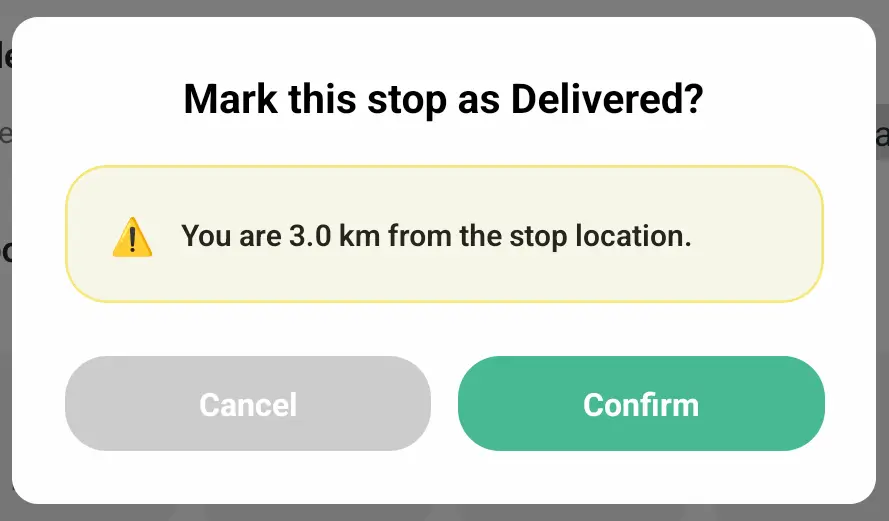
- More accurate proof of delivery: drivers now see a GPS proximity warning if they mark a stop Delivered or Attempted away from the stop’s location, and you can require photo proof at a route’s start and end locations.
- Barcode scanning: print EasyRoutes barcodes on packing slips and labels, and have drivers scan them to confirm they’re delivering the right order, with each scan kept with the stop’s proof of delivery.
- Customer privacy for drivers: hide customer phone numbers from drivers when they view stop details in the Delivery Driver mobile app.
- Locked-down access to your store’s data: EasyRoutes’ access to your store’s Shopify data now only works from EasyRoutes’ own servers, so even a leaked access key couldn’t be used anywhere else.
- Dependable order syncing: new and updated Shopify orders are now processed on dedicated capacity, so they keep flowing into EasyRoutes during your busiest periods.
- More reliable integrations: the EasyRoutes API now supports idempotency keys and order resyncs and applies rate limiting to keep the service stable for everyone, and webhook notifications to your connected systems send faster and retry at spaced-out intervals if your system doesn’t respond.
- Recurring routes for busy stores: Workflows now import Shopify orders in batches, so scheduled routes generate reliably for stores with lots of orders.
- Automatic recovery: if a screen in EasyRoutes fails to load, the app now retries automatically, so a brief connection blip doesn’t stop your work.
Fast, wherever you work
Shopify measures how quickly apps load inside your Shopify admin, using real sessions from merchants like you. This year we made EasyRoutes faster to open and quicker to work with, especially for busy stores.
- Faster first load: EasyRoutes now loads only what each page needs, with the map, Settings and calendar loading as you open them, so the app is ready to use sooner.
- Big route lists, without the wait: the Routes page, Delivery Analytics, the route calendar and Add to group tools now load routes in pages, rather than all at once.
- Smoother with lots of stops: the Unrouted stops tab stays responsive on routes with large numbers of stops, and importing large spreadsheets of stops is smoother.
- A faster Dashboard: the Dashboard’s activity feed now loads faster.
- Faster tracking pages and emails: your uploaded logo and images are now served from a global content delivery network (CDN), so they load quickly on order tracking pages and in your customer notifications.
Thank you to our users
Built for Shopify recognizes the work that goes into EasyRoutes, but your feedback is what shapes it. Many of this year’s updates started as suggestions from merchants and drivers like you, so thank you for helping us build EasyRoutes into an app that works the way Shopify does. Whether you’re planning your very first route or dispatching a fleet every day, we’re grateful you trust EasyRoutes to get your orders to your customers’ doors, and we’re already hard at work on what comes next.
Further information
Have a question about any of these updates? Search the EasyRoutes support portal for answers at any time, or reach out to the Roundtrip support team if we can help with anything else. Happy delivering!