
We've enabled additional functionality to provide route planners more flexibility when it comes to re-optimizing stops in routes that are already in progress.
Similar to the recently announced driver re-optimize feature, when any stops in a route are marked as Delivered or Attempted out of order from their originally optimized sequence, route planners can now consolidate and re-optimize all the remaining stops on a route into the most efficient order:
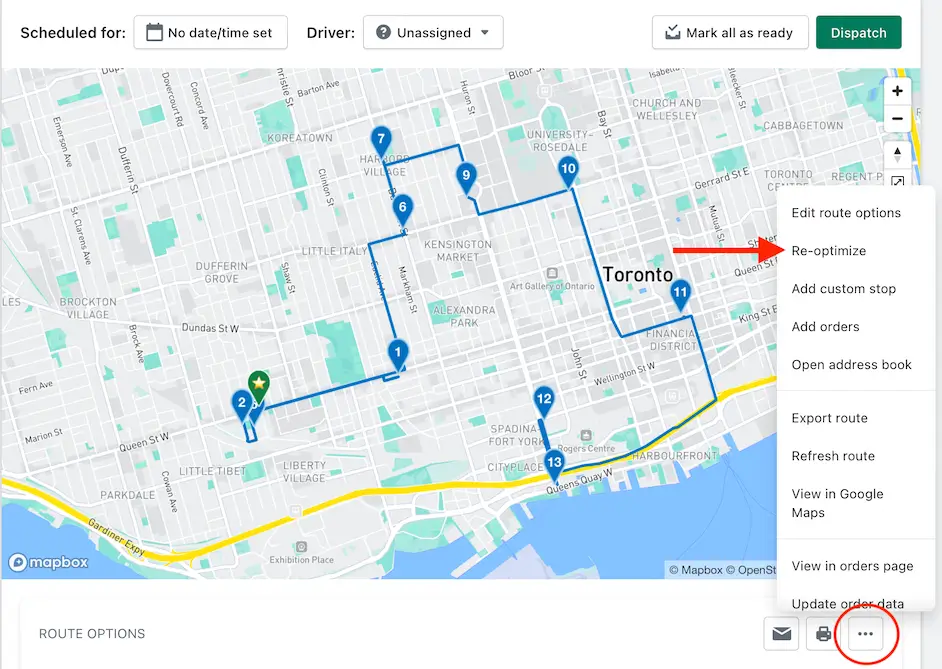
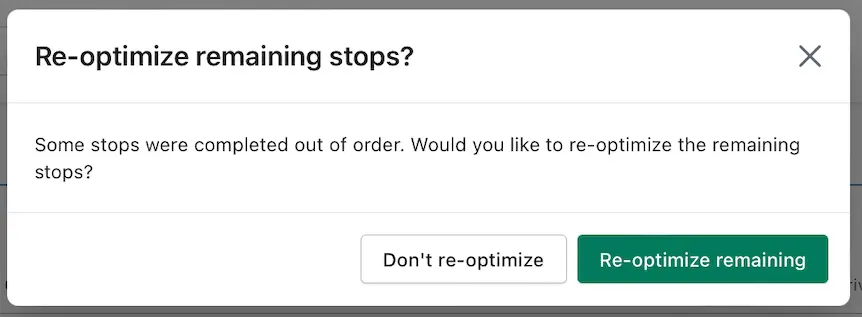
Once clicked, a prompt will display providing you with the option to re-optimize the remaining stops in your route:
For additional details on re-optimizing unstarted routes and routes in progress, see the support article for this feature.