
Email Notification Templates:
We've added a new Delivery note variable that can be included on any customer notification emails when available, ensuring any additional notes included by drivers when delivering orders are automatically shared with customers via email.
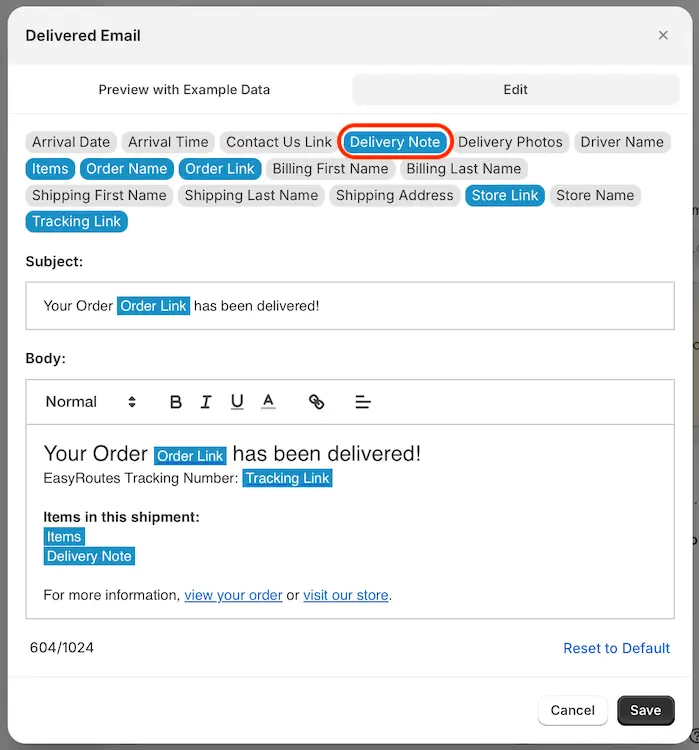
Customize email notification templates for all delivery status events from your EasyRoutes Settings > Notifications tab, under the Email notifications section.
Route Printing:
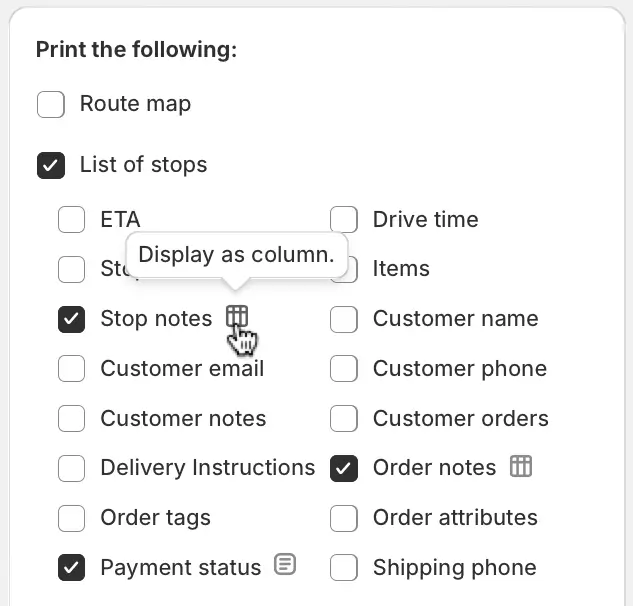
We've added a toggle to the Stop notes, Order notes, and Payment status variables when printing a route to configure whether these variables display as a line of text below each order (i.e. consistent with previous app behaviour) or as an independent column for each order. Click the column/text toggle beside each of these variables within the Print Preview menu to see these changes reflected immediately within the printout preview:
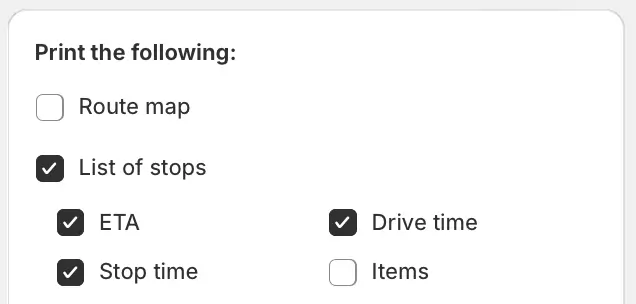
Three additional variables (ETA, Drive time, and Stop time) can now be enabled/disabled individually when including the List of stops on your route printouts:
We've also implemented a fix for the Route map displaying incorrectly on printouts under specific circumstances. If your route map isn't displaying correctly for any route printouts, use the Route map checkbox to disable and re-enable this variable from the Print Preview menu to restore the correct map sizing and stop pin data.