
We've enabled the ability to add a stop note to multiple stops in a route in bulk.
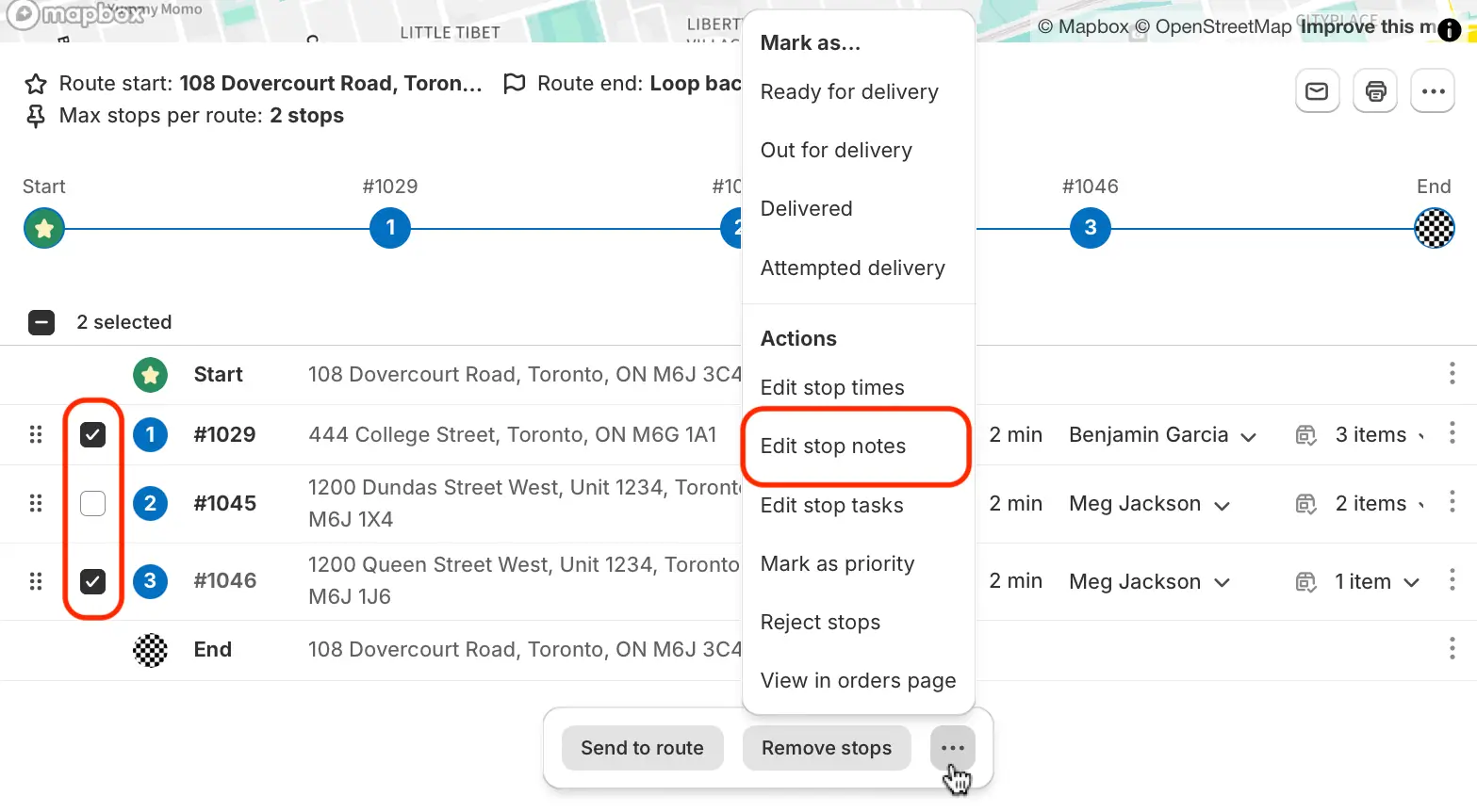
When viewing a route, use the checkboxes to select any stops you want to add a stop note to - note that this action will overwrite any existing stop notes associated with the selected stops. From the menu that appears at the bottom of the screen, click the More Actions button (three dots icon) and select Edit stop notes:
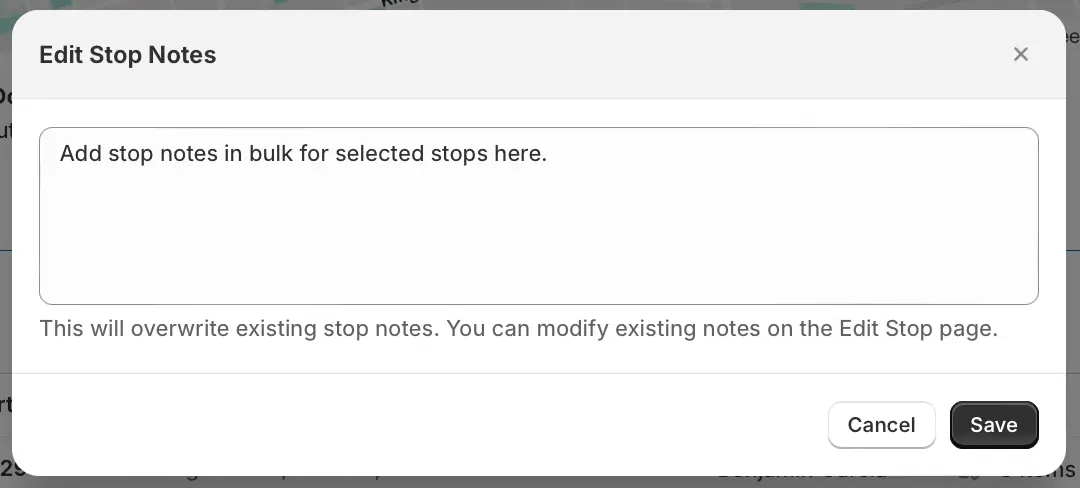
Input any required stop note information into the modal that pops up, and click Save:
Click Save again at the top of the page to commit these changes to the route.
For full details on all available EasyRoutes actions that can be performed on multiple routes or stops at once, see the support article for bulk actions. Additional details on adding and modifying multiple types of notes for a stop can also be found in the stop notes support article.