
We're a Shopify Staff Pick!
This week we are being featured in the Shopify App Store as a Staff Pick! Thank you so much for all your support and feedback along the way. We're excited to keep making EasyRoutes better for you and to help you spend less time managing your own deliveries.
New Route Options

We've just launched more advanced routing options! You can now provide a maximum route duration and a maximum number of stops per route which will help you with better load balancing your routes. Here's the route options so far (more coming soon!):
- Start Location: The first stop on your route
- End Location: The last stop on your route
- Time per stop: How much time to spend at each stop (great for service appts!)
- Max route duration: How many hours a route should take to drive
- Split orders into: # of routes to create from your selected orders
- Max stops per route: Limit the total # of stops per route (try this when using the route-splitting functionality)
Improved Route History page

We've improved our route history page to give you more information at a glance. Now you can see which routes have been completed, are still in flight, and how many deliveries were successful or attempted.
Streamlined Access to Driver View
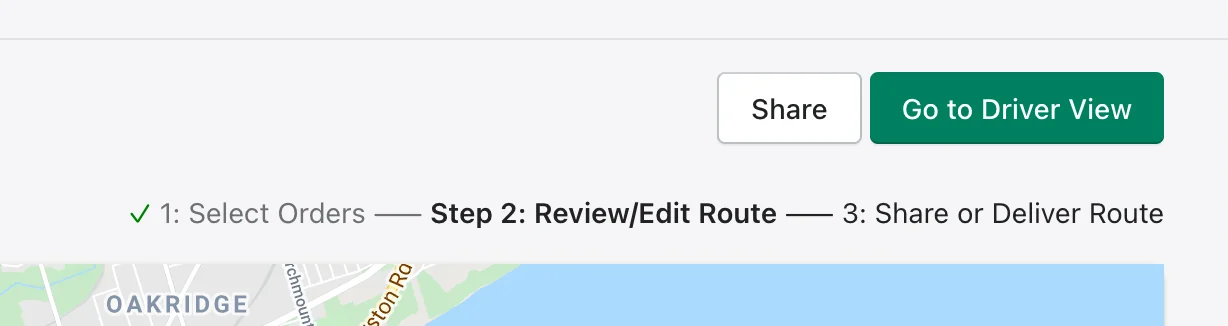
Doing your own deliveries? We've now streamlined it so you can access Driver View with a single-click.
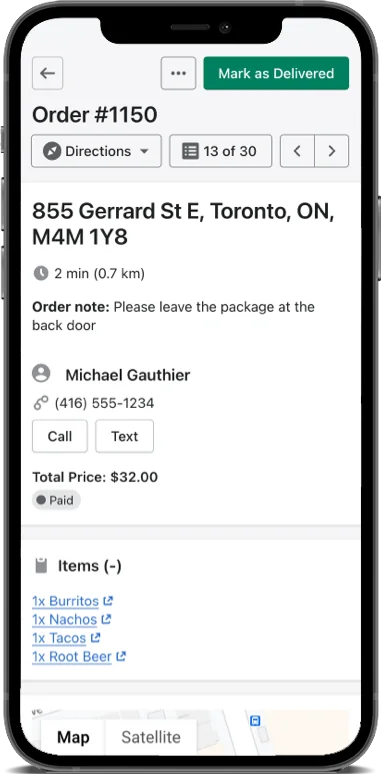
Driver view presents a mobile-friendly stop-by-stop view of your deliveries, with all the buttons you need (like marking the order as delivered, or taking photo proof of delivery) placed right at your finger-tips.
Better Support for Multiple Locations
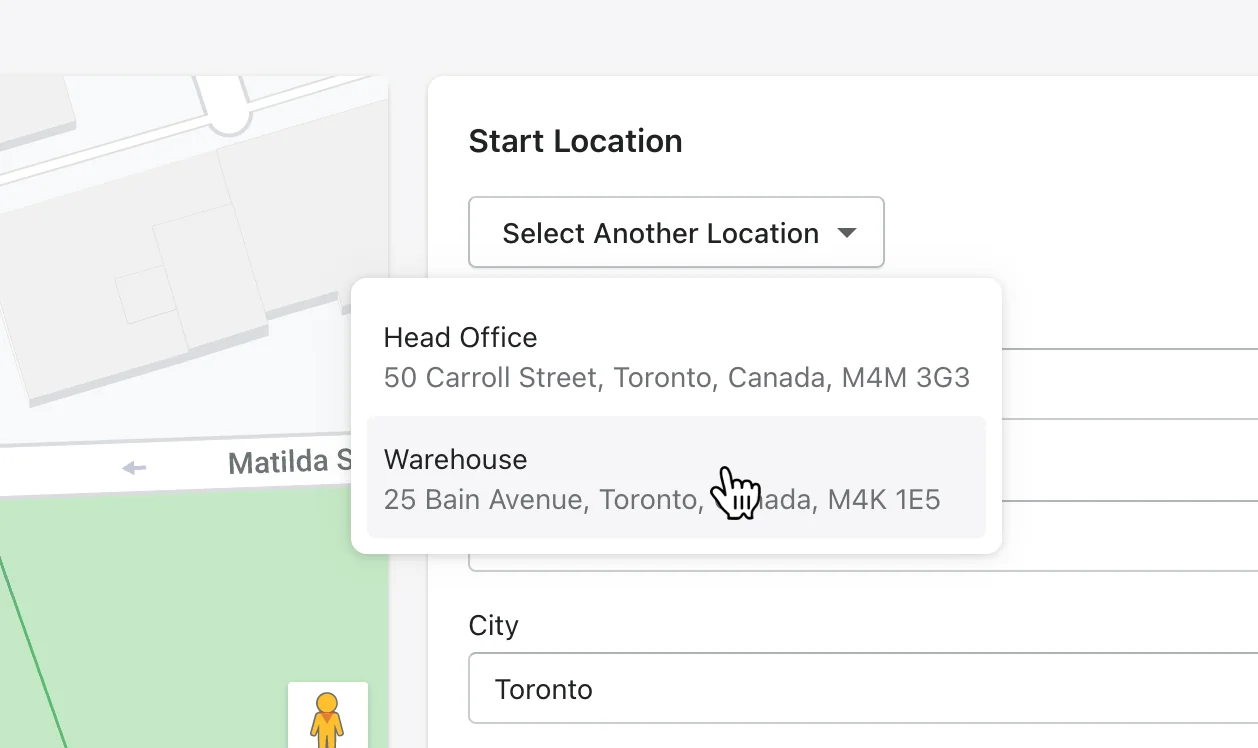
We've added a drop-down to the Edit Start/End Locations screen to make it easier to switch between your multiple locations.
Improved Customer Information Pop-up
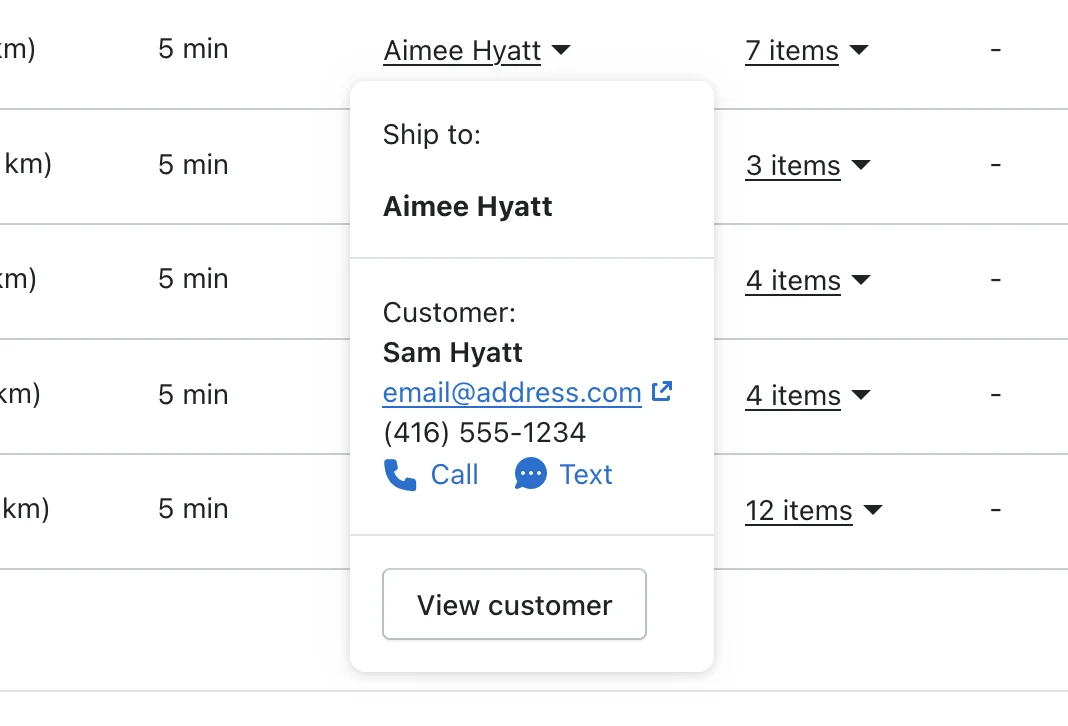
We've updated our customer pop-ups to not just show the who to deliver the order to, but also the information of who the actual customer is. You can also add this contact information (name, company, phone) to any manual stops you create.
Bug Fixes and Under the Hood Improvements
Apart from performance updates, we fixed an issue where some users weren't able to use the "Mark as Delivered" and "Attempted Delivery" confirmation dialogs on certain browsers. Some users on older phones also reported that our Help Beacon was getting in the way, so now you can turn it off in your settings.
We have fixed an issue with our cloud hosting provider that caused intermittent performance issues and delayed response times in short durations when accessing EasyRoutes for some users and we are continuing to monitor this issue.
Also if you haven't checked out our Photo Proof of Delivery feature, check out this support article on how to get started!
Proof of Delivery
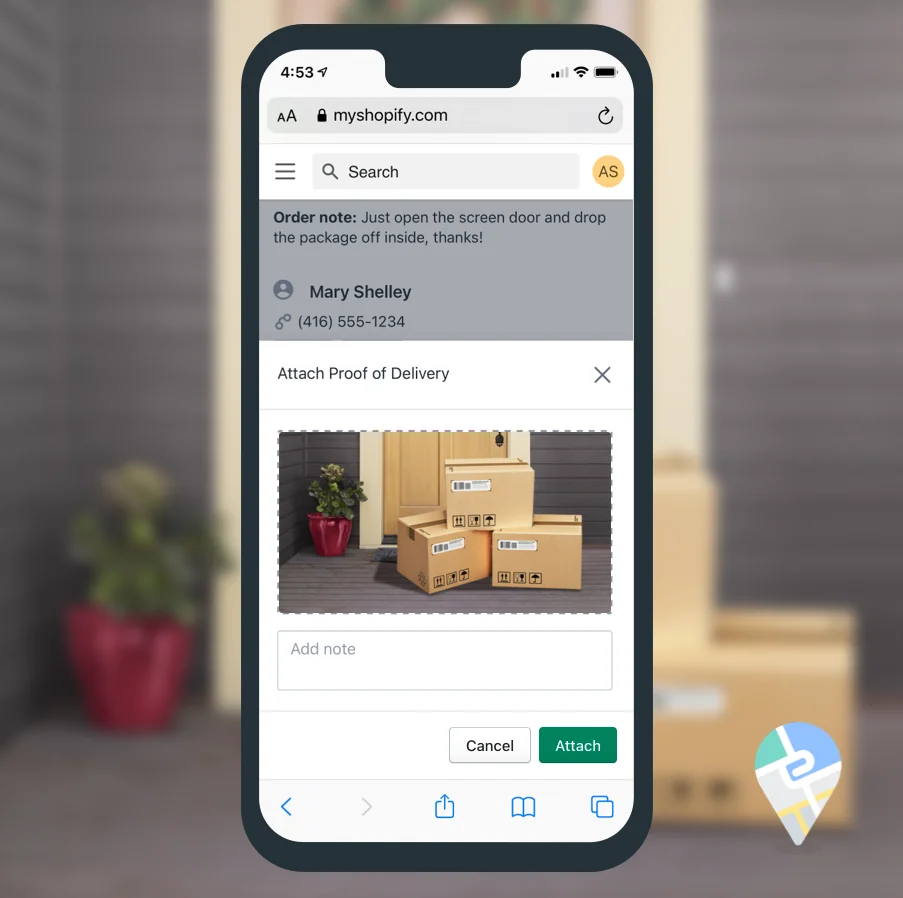
Provide peace of mind with proof of delivery. You or your drivers can attach a photo as well as optional note when dropping off a delivery. The link to this image will be attached to your order in Shopify, and you can even include it in your customer confirmation emails.
New Look and Feel
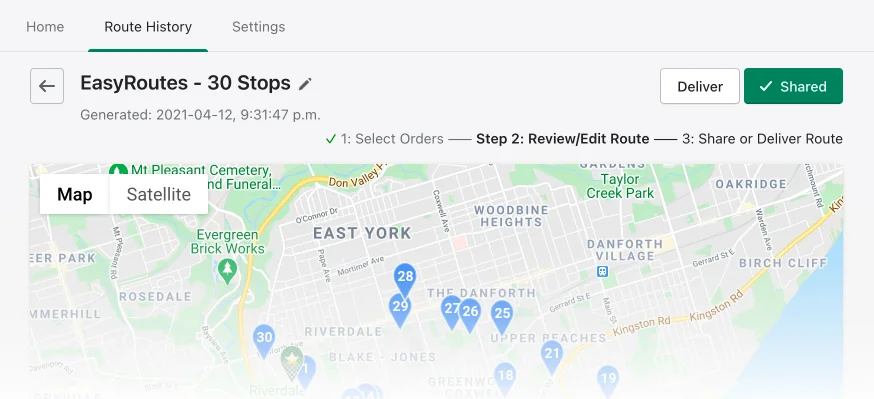
We're taking off the winter coat to reveal our new spring look with an updated colour palette, icons and updates under the hood. Now EasyRoutes fits in with Shopify's backend even more seamlessly.
New Plans to help any size business with their deliveries
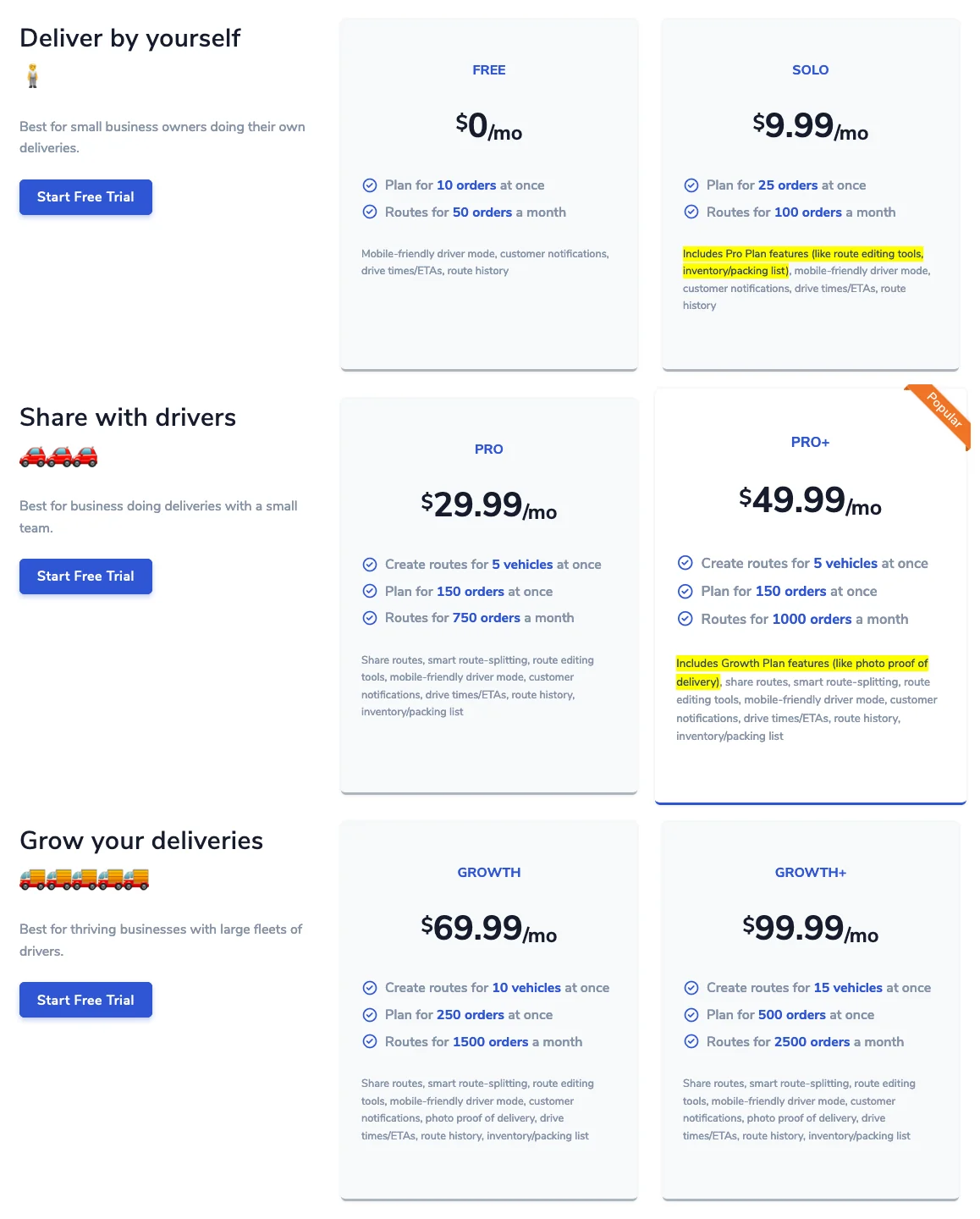
We've introduced some new pricing plans to help our growing customers level up in smaller increments while gaining new features and functionality. Take our Pro+ plan ($49.99/mo), for example: It gives you all the power or our popular Pro plan (29.99/month) as well as the advanced features of our Growth plans like 📷 photo proof of delivery.
Send stops to another route
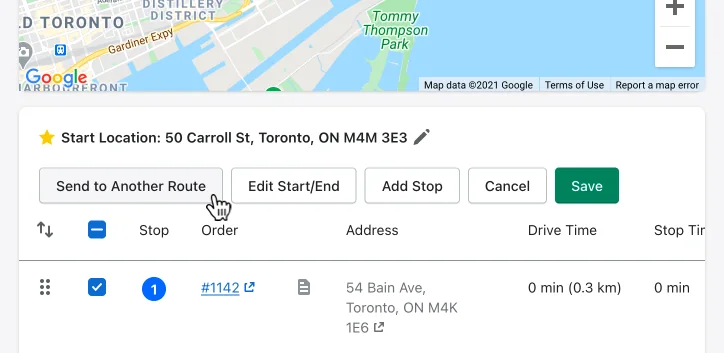
Now you can take a selection of stops you have in one route and send them directly to another!